Drift Ghost XL Pro: a live rear view on your iPhone, without losing your internet
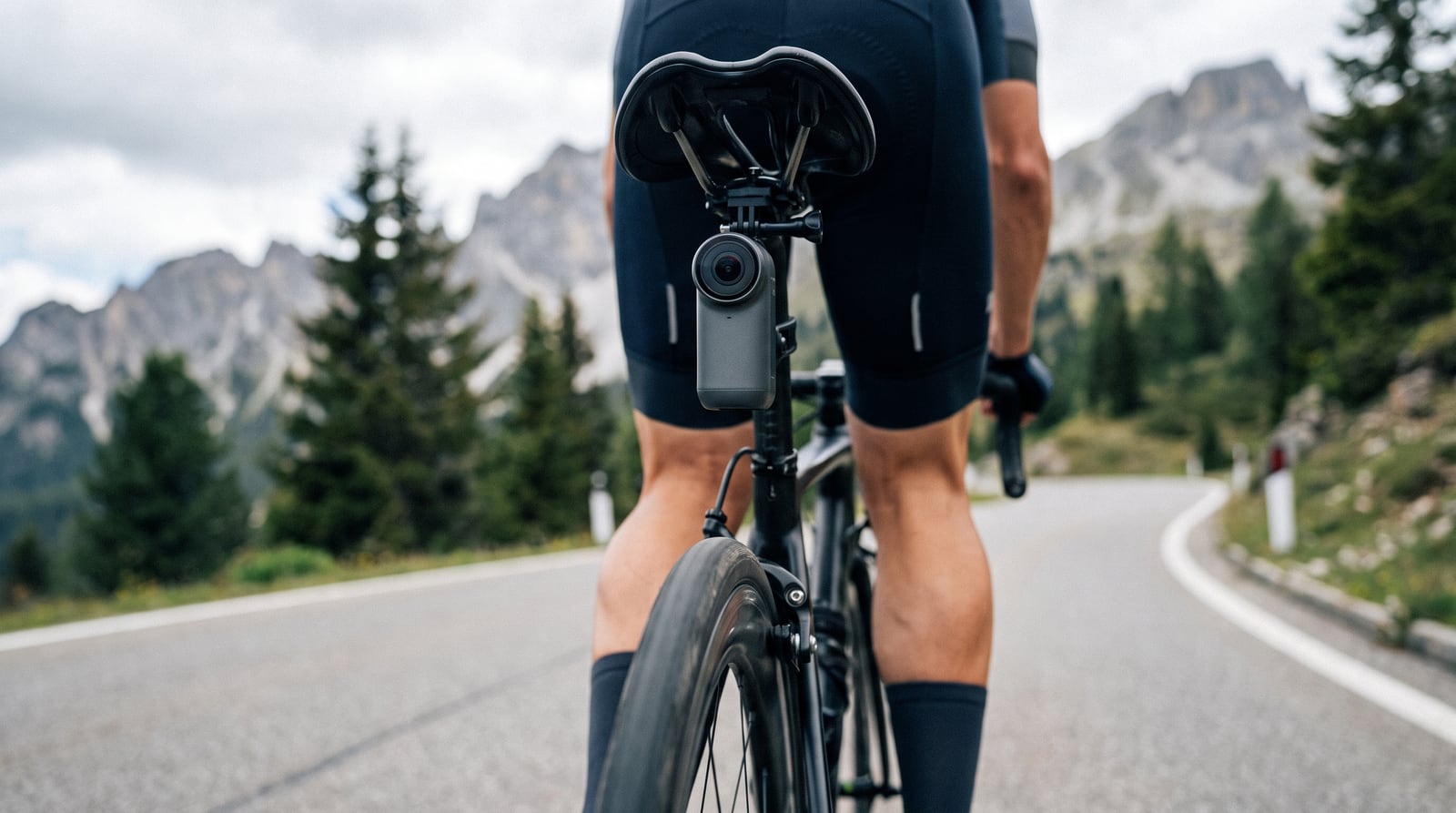
The Drift Ghost XL Pro is built to sit on a bike all day. Domestique Hub shows its picture on your iPhone while you ride — a live rear view in the grid with your speed, power and heart rate — and puts the camera's REC button on the bars.
Why the Ghost works differently from other cameras
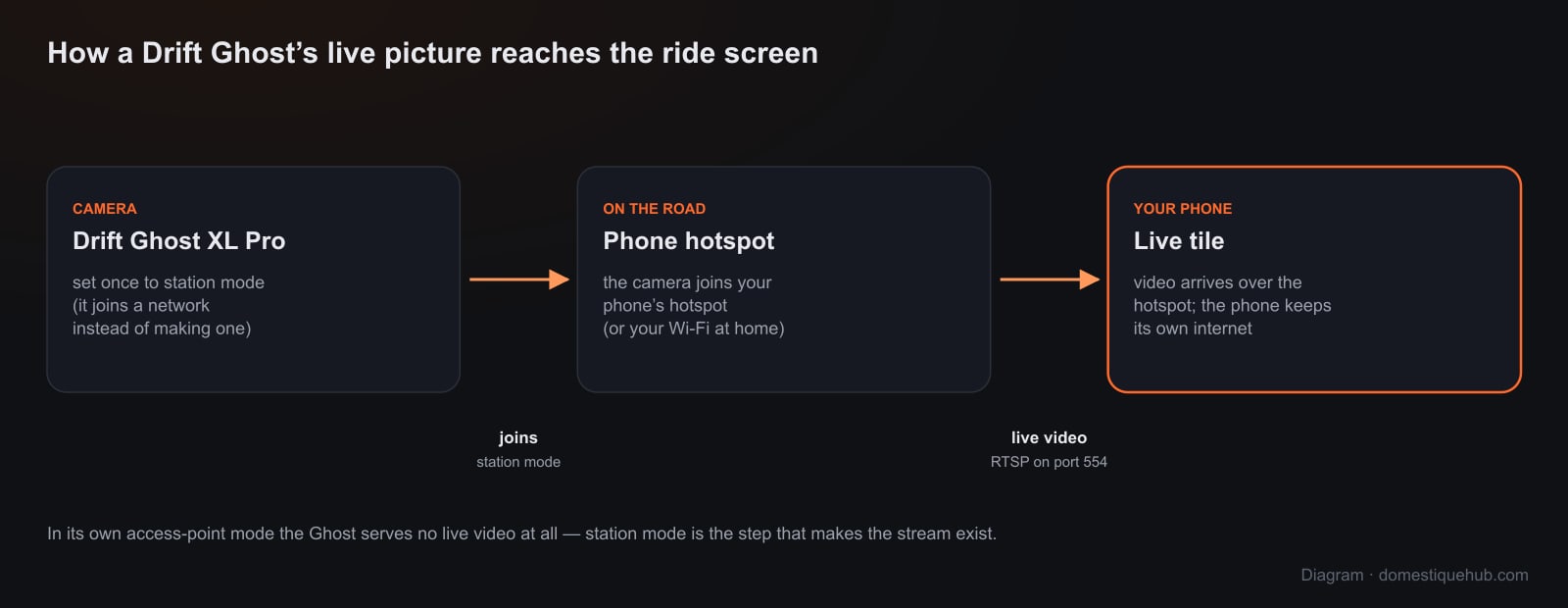
Most action cameras make their own Wi-Fi network and ask your phone to join it. A network with no internet is a problem on a ride, where your group, the map and the radar all need a connection. The Ghost can do it the other way round: in station mode it joins a network you already have — your phone's personal hotspot on the road, or your Wi-Fi at home — and the phone stays online the whole time.
We found out the hard way that station mode is not optional. In its own access-point mode the camera serves no live video at all: its video port drops every connection without sending a byte. Switched to station mode, it serves a standard RTSP stream, and that is what the app reads.
What you get on the bars
- A Camera tile on any ride page, and the same picture in the corner of every other page, a tap away from full size.
- REC starts and stops recording to the camera's card, and the button shows the running time so you know it is rolling.
- PHOTO attaches a frame of the live view to your ride when it saves.
- ROTATE and MIRROR. The Ghost has no orientation setting of its own, so a camera clamped upside down under the saddle is turned the right way up by the app — and a PHOTO comes out the right way up too.
- It reconnects by itself after a dropout, and reopens a picture that freezes, for as long as you ride.
Setting it up
- Turn on your iPhone's personal hotspot.
- Put the Ghost in station mode on that network — with the fmcam.conf file on its card, or the QR code in Drift's own app. This is a one-time step.
- In Domestique Hub, go to Settings → Connected apps → Camera, pick Drift Ghost and tap Find my camera. The app asks every address on the network until the camera answers; you can also type its address in.
- Add the Camera view field to a ride page and ride.
Nothing is uploaded. The live view is read straight off the camera and shown on your screen. No video leaves the phone; REC writes to the camera's own card exactly as its button would.
What to know
- iPhone only for now. Android riders can use an Insta360 today.
- Built and tested on the Ghost XL Pro. Drift's other current cameras publish the same video service and are expected to work, but we have not tested them.
- The camera serves one live session at a time, so close Drift's own app's live view before connecting from ours.
Choosing a camera? See how the Ghost compares with a GoPro and an Insta360 in our round-up — and why a radar belongs next to it.
Questions riders ask
- Why does the Drift Ghost need station mode?
- In its own access-point mode the Ghost serves no live video. In station mode it joins your phone's hotspot or your home Wi-Fi and serves an RTSP stream the app can show — and your phone keeps its internet.
- How do I put the Drift Ghost in station mode?
- With the fmcam.conf file on the camera's memory card, or the QR code in Drift's own app. It is a one-time step.
- Does it work on Android?
- Not yet — Drift Ghost live view is iPhone-only. Android riders can use an Insta360 X3, X4 or X5.